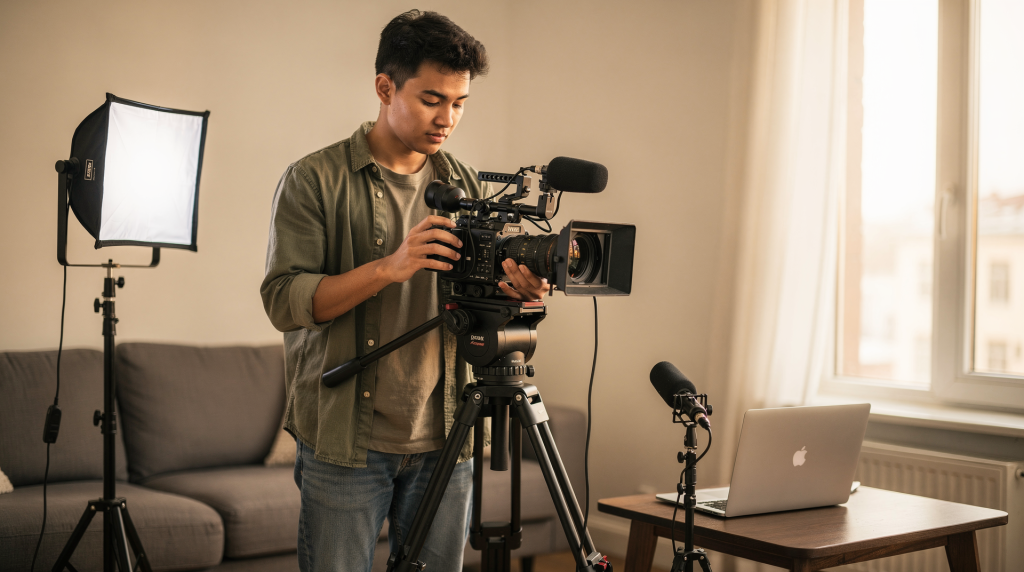
I’ve watched too many beginners sabotage perfectly good locations because they were chasing some vague idea of “cinematic” instead of paying attention to what actually makes an image work. The truth is simpler than most people think: composition, light, camera movement, sound, and editing are the skills that shape every single shot you’ll ever take. Learn these fundamentals early, and you can produce strong work with almost any camera — then carry those same principles across short films, real estate walkthroughs, architectural documentaries, and everything in between.
Why the basics matter first
Every beginner I’ve met eventually asks which camera they should buy next. I understand the impulse — new gear feels like progress. But in practice, weak framing will ruin a shot before the sensor does. Bad light flattens texture. Shaky movement distracts. Poor sound makes viewers click away within seconds. These problems aren’t solved by spending more money; they’re solved by training your eye and building habits through repetition.
When you’re filming spaces, the stakes are even higher. A room, hallway, facade, or city block only reads as intentional when the camera understands where to stand, how to move, and which details carry the story. Get the basics right, and the architecture does half the work for you.
1. Composition: frame the shot with intent
Composition is the single most important decision you make before pressing record. It’s how you arrange elements inside the frame so the viewer’s eye lands exactly where you want it, without confusion or effort. This is the foundation of visual storytelling, and it works the same way whether you’re shooting a dialogue scene or a modernist staircase.
Learn these core composition rules
- Rule of thirds: place the subject off-center to create balance and visual interest. Dead center can work, but it should be a choice, not a default.
- Leading lines: use hallways, roads, railings, or architectural geometry to guide the eye toward the subject or through the frame.
- Symmetry and balance: especially useful for buildings, formal interiors, and any scene where structure itself carries meaning.
- Framing within the frame: shoot through doorways, windows, arches, or foreground elements to add depth and direct attention.
- Depth and layering: include foreground, middle ground, and background to avoid flat, two-dimensional images that feel like surveillance footage.
Practical beginner check
Before recording, I run through a mental checklist that’s saved me from countless unusable takes:
- What is the subject?
- What in the frame supports it?
- What distracts from it?
- Is the horizon level?
- Does the background help or hurt the shot?
Common composition mistakes
- Centering everything by default without considering whether the subject benefits from it.
- Ignoring messy backgrounds — stray cables, cluttered surfaces, reflections that pull focus.
- Cropping important edges of the subject, like cutting off the top of a doorway or the base of a column.
- Filling the frame without giving the eye a place to rest, which creates visual fatigue.
For spaces and architecture
Architecture gives you an advantage that many subjects don’t: the structure already provides clean lines, natural geometry, and built-in framing. A spiral staircase, a grid of windows, a long corridor, or a skyline can carry the composition almost entirely on its own — if you let it. The skill is in recognizing when to step back and let the building do the talking, rather than forcing the camera into unnecessary angles.
2. Camera movement: move only when the shot needs it
I see beginners add movement to shots that would be stronger static, usually because a locked-off frame feels “too simple” on the monitor. But a stable shot is almost always more powerful than an unmotivated move. Movement should reveal something — a spatial relationship, a detail, a change in perspective — not just fill time.
The basic movements to master
- Pan: rotate left or right from a fixed position. Works well for revealing a space gradually or following horizontal lines.
- Tilt: move the camera up or down. Useful for showing height, vertical details, or the relationship between levels.
- Dolly or tracking move: move the camera physically toward, away from, or alongside the subject. This is the most immersive movement because it mimics how a person actually explores a space.
- Zoom: change focal length to enlarge the subject without moving the camera. Use sparingly — it can feel mechanical if overdone.
How to use movement well
- Use a tripod for stable, deliberate shots. Handheld has its place, but it should be intentional.
- Keep pans and tilts slow and smooth. Fast moves disorient the viewer and break immersion.
- Start and end movement cleanly — no drifting or hesitation at the edges of the move.
- Move because the story or subject requires it, not because the shot feels empty or you’re bored.
Beginner mistake to avoid
A shaky handheld move is not the same as intentional energy. If the scene doesn’t benefit from instability — and most architectural work doesn’t — stabilize the shot first. You can always add handheld texture in post if the project calls for it, but you can’t remove shake from footage that’s already ruined.
For real estate and architectural video
Movement should reveal the space, not race through it. Slow push-ins toward a feature wall, careful pans across a facade, and measured tracking shots through a hallway help the viewer understand scale, flow, and layout. When I shoot a property, I think about how someone would actually walk through it — then I let the camera follow that path at a pace that feels natural.
3. Lighting: shape mood, depth, and clarity
Lighting affects everything: texture, atmosphere, separation, and even the perceived value of a space. I’ve filmed the same room under different light and watched it transform from flat and uninviting to warm and dimensional. Good lighting doesn’t just make a shot easier to watch — it makes it easier to edit, because the footage already carries the mood you’re trying to build.
Basic lighting concepts
- Key light: the main light source that defines the subject’s shape and direction.
- Fill light: softens shadows created by the key, reducing contrast without eliminating depth.
- Backlight: separates the subject from the background, creating a rim of light that adds dimension.
- Practical lights: lamps, sconces, or visible light sources already in the scene. These ground the lighting in reality and add warmth.
Start with simple lighting goals
- Make the subject readable — if the viewer can’t see what matters, nothing else counts.
- Keep shadows intentional instead of accidental. Every shadow should have a source and a purpose.
- Use light to add depth, not just brightness. Side light reveals texture; front light flattens it.
- Match the mood of the scene. A sunlit breakfast nook and a moody evening study need different approaches.
Natural light vs. artificial light
- Natural light works beautifully when it’s soft and controlled — overcast days, window light diffused through curtains, golden hour exteriors.
- Artificial light gives consistency and control, especially indoors where daylight shifts throughout the shoot.
- Mixed lighting can create color problems if you don’t account for different light sources. A daylight window next to a tungsten lamp will produce competing color temperatures that are difficult to fix in post.
Beginner mistakes
- Shooting into a bright window without balancing the exposure, which silhouettes the interior into darkness.
- Letting overhead room lights create ugly shadows under eyes, chins, or architectural details.
- Using harsh light without diffusion, which creates hard shadows and blown highlights.
- Ignoring color temperature differences, resulting in shots that look sickly or unnatural.
For interiors
Interior lighting is often the difference between “documentation” and “cinematic coverage.” When I walk into a room, I watch how daylight enters — which windows are active, how the light falls across surfaces, where the natural shadows land. Then I use practicals or added light to fill in where needed, always keeping the space feeling natural rather than lit. The goal is for the viewer to feel the atmosphere, not notice the lighting setup.
4. Exposure and focus: make sure the image is usable
A beautifully composed shot is worthless if it’s too dark, blown out, or soft where it should be sharp. These are technical fundamentals that beginners often skip because auto settings seem easier — but auto settings make decisions based on averages, not intent. Learning manual control gives you consistency and creative authority over every frame.
Exposure basics
Exposure is how bright or dark the image appears. The three controls work together, and understanding their relationship is essential:
- Aperture: controls how much light enters the lens and affects depth of field.
- Shutter speed: controls how long the sensor is exposed to light and affects motion blur.
- ISO: controls the sensor’s sensitivity to light and affects image noise.
A simple rule for beginners: learn how these three settings affect brightness, motion, and image quality before you try advanced techniques. Once you understand the exposure triangle, you can make informed trade-offs instead of guessing.
Focus basics
- Use manual focus when the subject stays in one place and precision matters — architectural details, product shots, interview setups.
- Use autofocus when movement is unpredictable and the camera handles focus reliably — but always verify it’s locking onto the right subject.
- Check focus before every important take. Magnify the preview if your camera allows it.
What to watch on set
- Is the subject sharp where it needs to be?
- Are bright areas clipped beyond recovery?
- Are shadows crushed to pure black without detail?
- Does the image look noisy from high ISO?
Quick practical tip
If the scene is exposed correctly but still looks bad, inspect the focus before anything else. Out-of-focus footage is one of the fastest ways to lose usable shots, and no amount of post-production can fix it.
5. Shot sizes: tell the story with variety
A beginner’s instinct is to point the camera at the subject and record. But thinking in shot sizes — wide, medium, close — transforms coverage from flat documentation into visual storytelling. Each shot size serves a different purpose, and the sequence you choose shapes how the viewer experiences the space.
The main shot sizes
- Wide shot: shows environment and context. This is where you establish the space and give the viewer a sense of place.
- Medium shot: balances subject and surroundings. It bridges the gap between context and detail.
- Close-up: emphasizes detail, texture, emotion, or important features that would be lost in a wider frame.
How to use shot sizes
- Start wide to establish place — the viewer needs to understand where they are before they can appreciate the details.
- Move closer to reveal detail — materials, craftsmanship, the way light hits a surface.
- Use close-ups for texture, action, or emphasis — the grain of wood, the curve of a handrail, the reflection in a window.
- Mix shot sizes to avoid flat, repetitive coverage that makes every moment feel the same.
For spaces
In architectural and real estate filmmaking, wide shots establish the full layout and spatial relationships. Medium shots show function — how a kitchen island relates to cabinetry, how furniture defines a living area. Close-ups highlight materials, finishes, and design details that give the space its character. A sequence that moves through all three feels intentional and complete.
6. Sound: record clean audio from the start
Many beginners treat sound as an afterthought — something to fix in post or ignore entirely. But viewers notice bad audio faster than imperfect visuals. Even simple videos feel more professional when the audio is clean and consistent, while great footage paired with noisy, echoey sound feels amateurish.
Sound basics to learn
- Use an external microphone when possible. Built-in mics pick up handling noise, wind, and room reflections.
- Keep the mic close to the source. Distance is the enemy of clean audio.
- Record in quieter environments. Turn off HVAC systems, refrigerators, and anything else that hums.
- Monitor sound with headphones. You can’t fix what you can’t hear.
- Capture room tone — 30 seconds of ambient silence — for smoother editing and noise reduction in post.
Common sound problems
- Wind noise that overwhelms dialogue or ambient recording.
- Echo in large empty rooms with hard surfaces.
- Loud background hum from appliances, traffic, or electrical interference.
- Audio peaking or clipping that distorts beyond repair.
- Built-in microphone distortion from being too far from the source.
Practical rule
If you’re recording dialogue, interview audio, or ambient sound, make audio testing part of your shooting routine — not a last-minute check before the subject leaves. Record a sample, listen back on headphones, and adjust before you commit to the take.
7. Storytelling: every shot should serve a purpose
Filmmaking is not just recording images. It’s deciding what to show, in what order, and why. Even a short video becomes stronger when each shot adds information or emotion rather than just filling time. This is where technique meets intention — and where beginners start to think like filmmakers instead of camera operators.
A simple storytelling structure for beginners
- Establish the setting — give the viewer context.
- Show the main subject — clarify what matters.
- Reveal important details — add depth and texture.
- Add motion or change — create progression.
- End with a clear takeaway — leave the viewer with something.
What this means in practice
A shot should answer at least one of these questions:
- Where are we?
- What matters here?
- How does this feel?
- Why should the viewer keep watching?
For spaces and architecture
Storytelling can come from how a viewer moves through a building. Entry, transition, reveal, detail, and exit can all function like a visual narrative. When I shoot a property, I think about the journey — what someone sees first, how they discover each room, which details surprise them, and what feeling they carry when they leave. That sequence is a story, even without dialogue.
8. Editing: cut for clarity, rhythm, and meaning
Editing is where the footage becomes a finished film. Beginners often reach for flashy transitions and effects, thinking they’ll elevate the work. But strong editing is mostly about structure and timing — knowing what to keep, what to cut, and how long to hold a shot before the viewer needs something new.
Editing fundamentals
- Cut out anything that does not help the story. If a shot doesn’t add information or emotion, it’s dead weight.
- Keep pacing consistent with the subject. A fast-paced real estate tour and a contemplative architectural study need different rhythms.
- Use simple transitions only when they support the flow. Most cuts should be clean and invisible.
- Match shots by direction, movement, or visual energy to create seamless continuity.
- Let some shots breathe instead of rushing every scene. Silence and stillness have power.
Beginner mistake
Over-editing often comes from trying to save weak footage. Strong footage usually needs fewer tricks — it speaks for itself. If you find yourself adding effects to make a shot interesting, the shot itself might be the problem.
Useful editing habit
Watch the rough cut without sound, then with sound. This helps you notice whether the visuals alone tell a clear story and whether the audio supports the mood. If the sequence works silently, it will only get stronger with good sound design.
Essential filmmaking techniques at a glance
| Technique | What it does | Beginner goal | Common mistake |
|---|---|---|---|
| Composition | Directs the viewer’s eye | Frame with intention | Centering everything |
| Camera movement | Adds motion and reveals space | Move only when needed | Shaky, random movement |
| Lighting | Shapes mood and depth | Make the subject clear | Ignoring harsh shadows |
| Exposure | Controls brightness and image quality | Keep footage usable | Overexposed highlights |
| Focus | Keeps the image sharp | Check critical focus every take | Trusting autofocus blindly |
| Shot sizes | Creates visual variety | Mix wide, medium, and close shots | Repeating one framing |
| Sound | Improves clarity and realism | Capture clean audio | Relying on built-in mics |
| Editing | Shapes pace and meaning | Cut for story, not effects | Adding unnecessary transitions |
A simple beginner workflow you can actually use
Before shooting
- Define the subject. If you can’t name it, the viewer won’t find it.
- Choose the shot size. Commit to a perspective before you raise the camera.
- Check the background. Scan for distractions, clutter, and unintended reflections.
- Decide whether the shot needs movement. If not, lock it off.
- Set exposure and focus manually if possible. Take control before the take.
While shooting
- Keep the camera steady. Use a tripod, monopod, or stabilized rig.
- Record each shot longer than you think you need. Extra handles save edits.
- Review clips for exposure, focus, and sound. Don’t assume it was fine.
- Capture at least one wide, one medium, and one detail shot of each scene. Coverage gives you options in the edit.
After shooting
- Organize footage by scene or location. A messy timeline wastes hours.
- Remove weak takes first. Be ruthless — if it’s soft, shaky, or poorly exposed, cut it.
- Build the edit from wide to detail. Establish context, then move closer.
- Check whether the pacing matches the subject. A slow space needs time to breathe; a dynamic space can move faster.
A beginner’s practice plan
If you want to improve quickly, practice one skill at a time. Spreading yourself thin across every technique at once leads to slow progress and frustration. Focused repetition builds instincts faster than scattered experimentation.
Week 1: composition
Shoot the same subject from five different angles and compare which frame tells the clearest story. Pay attention to what each angle includes and excludes.
Week 2: movement
Practice slow pans, tilts, and push-ins without changing other variables. Focus on smooth starts and stops, consistent speed, and intentional endpoints.
Week 3: light
Film the same room at different times of day and note how mood changes. Watch how shadows shift, how color temperature evolves, and how the space feels under each condition.
Week 4: sound and editing
Record clean ambient audio, then build a short sequence using only a few strong shots. Focus on rhythm, shot order, and how sound supports the visuals.
Checklist: essential techniques every beginner should learn
- Composition and framing
- Rule of thirds
- Leading lines and symmetry
- Basic camera movement
- Exposure control
- Manual focus and autofocus awareness
- Shot sizes
- Clean audio recording
- Simple lighting setups
- Basic editing rhythm
- Story-first shot selection
Common beginner mistakes to avoid
- Buying gear before learning the basics — a new lens won’t fix bad framing.
- Moving the camera too much — static shots are often stronger.
- Ignoring sound quality — viewers forgive imperfect visuals faster than bad audio.
- Shooting without a plan — even a rough shot list improves coverage dramatically.
- Relying on auto settings for everything — you surrender creative control to the camera’s algorithms.
- Using too few shot sizes — repetitive framing makes every moment feel the same.
- Forgetting to check the background — distractions kill immersion.
- Over-editing to fix weak footage — if the shot doesn’t work, no transition will save it.
Conclusion
The essential filmmaking techniques every beginner should learn are not complicated, but they are non-negotiable. Composition, movement, lighting, exposure, sound, and editing form the foundation of every shot you’ll ever take. Master those basics first, and you can create work that feels deliberate instead of random — work where every frame has a reason to exist. Apply these principles to any subject, from people and products to homes, buildings, and entire urban spaces, and you’ll start seeing the world as a filmmaker does: not as a place to point a camera, but as a series of decisions waiting to be made.
FAQ
What is the most important filmmaking technique for beginners?
Composition is usually the first skill to master because it affects every shot, no matter what camera you use. If you can frame with intention, you’re already ahead of most beginners.
Should beginners focus on gear or technique?
Technique comes first. Good framing, stable movement, and clean audio will improve your work more than a new camera body ever will. I’ve seen stunning videos shot on entry-level gear and terrible videos shot on cinema cameras — the difference is always the person behind the lens.
How can a beginner make footage look cinematic?
Use intentional composition, controlled movement, soft lighting, and a mix of wide, medium, and close shots. “Cinematic” isn’t a preset or a filter — it’s the result of deliberate choices that serve the story.
What is the easiest filmmaking skill to practice at home?
Composition. You can practice framing, angles, and background control with almost any subject in any room. A window, a chair, a hallway — all of them can teach you something about how the frame works.
Do beginners need manual settings?
Yes, at least the basics. Manual control over exposure and focus helps you understand what the camera is doing and gives you more consistency from shot to shot. Auto settings make decisions based on averages; manual settings let you make decisions based on intent.