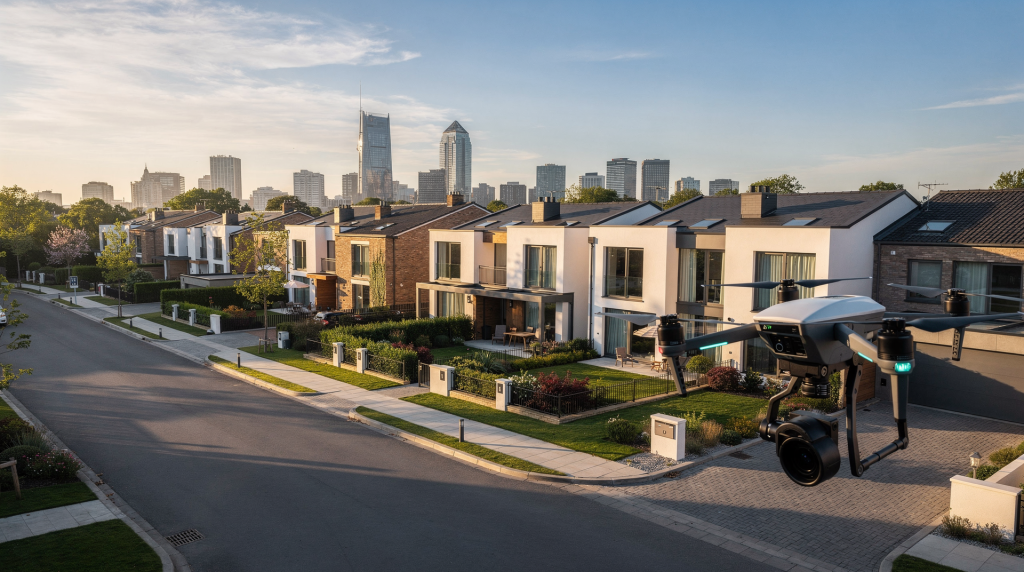
# Drone Filming for Architecture and Real Estate: Planning Better Aerial Sequences
A drone shot that wasn’t planned is easy to spot. It floats without purpose, lingers too long, or moves in a way that contradicts the edit’s rhythm. Planned correctly, though, aerial footage does what no other camera can: it places a building in its world. It reveals the massing of a roofline, the way morning light wraps a facade, the relationship between a courtyard and the street beyond. The strongest aerial sequences aren’t just nice views from above — they guide the viewer, reveal relationships between the building and its surroundings, and support the story of the property. Getting there takes more than a good eye and smooth stick control. It takes a sequence built around the architecture itself.
## Why Drone Shots Matter in Architectural and Real Estate Video
Aerial footage does three jobs at once. First, it shows the full site — the entire parcel, not just the facade you’d see from a tripod at street level. Second, it explains location, access, and surroundings in a language that buyers and viewers absorb instantly. Third, it gives the edit breathing room between interior and ground-level shots, a visual reset that keeps the pacing from feeling claustrophobic.
For architecture specifically, this matters when the design depends on massing, rooflines, site orientation, landscape, or neighborhood context — elements that are genuinely difficult to communicate from the ground. A flat site plan or a written description can’t substitute for a slow orbit that reveals how a cantilevered volume extends over a slope. For real estate, drone work answers the questions buyers ask first: how big is the lot, how private is the backyard, how close are the neighbors, what’s the walk to the waterfront actually like.
The mistake many teams make is treating the drone as an extra camera — something to grab a few wide shots with — instead of a planning tool integrated into the project from the start. When the aerial sequence is disconnected from the rest of the video, it feels generic, like stock footage dropped into the timeline. When it’s designed around the property’s story, it becomes one of the most valuable parts of the project. I’ve seen a single well-timed pullback shot make a listing video feel twice as expensive as it actually was, simply because it answered the question every buyer silently asks: where am I?
## Start with the Property Story, Not the Drone
Before planning a single flight path, define what the aerial footage should communicate. The drone is a tool, not a protagonist. Every shot should trace back to something specific about the property that a ground-level camera can’t adequately capture.
Ask these questions before you power on the controller:
– What makes this property visually different from every other listing in the area?
– What does the viewer need to understand in the first five seconds of the aerial sequence?
– Is the priority scale, setting, privacy, roof design, landscape, or neighborhood?
– Which side of the building is actually the “hero” side, and does it face good light at the time you’re scheduled to fly?
– What details are impossible to show from the ground — a green roof, a rooftop terrace, a rear elevation that opens completely to a view corridor?
The answers change everything about how you fly. A modern home on a ridge might need a wide establishing move that shows the site dropping away behind it, the building anchored to high ground with nothing but sky beyond. A downtown penthouse might need a controlled pullback that starts tight on the terrace and expands until the building reads clearly against the skyline. A coastal home may need a sequence that connects architecture to water, wind, and open space — a lateral tracking shot following the shoreline with the structure in frame, or a low-altitude push across the dunes that rises to reveal the house in context.
The clearer the story, the easier it is to choose shots that matter and discard the ones that just look impressive in isolation.
## Plan the Sequence Before You Fly
Aerial planning happens before takeoff, not after the battery is in the air and you’re burning flight time trying to find compositions. A strong workflow starts with a shot list and ends with a clean edit that feels inevitable — each aerial clip arriving where the cut needs it.
### A practical planning order
1. Identify the property’s key selling or storytelling points — the three to five things that make it worth filming in the first place.
2. Decide which point each drone shot will support. One shot, one idea. Don’t ask a single pass to establish scale, show the pool, and reveal the neighborhood all at once.
3. Map where the drone will start, move, and end. Be specific: not “fly toward the house,” but “start at 80 feet above the northwest corner of the lot, push southeast at walking speed, descend to 40 feet, and settle with the front door centered in the lower third.”
4. Match the drone shots to the ground footage you already plan to capture. If the ground team is getting a wide from the street, your aerial wide needs to offer something different — a higher angle, a contextual reveal, a relationship shot.
5. Save room for safe, flexible coverage in case wind or light changes. One backup orbit and one static wide can rescue an otherwise compromised sequence.
Aerials work best when they’re built as a sequence, not a collection of isolated clips that happened to be captured from the air. A typical structure might run like this: wide establishing shot, approach or reveal, orbit or perimeter move, context shot showing neighborhood or landscape, and a final closing frame that settles the viewer. That’s not a formula — it’s a rhythm that mirrors how people naturally explore a new place, first orienting themselves, then moving closer, then circling around, then understanding the bigger picture, then arriving at a resting point.
## The Best Aerial Moves for Architecture and Real Estate
Not every property needs the same drone move. The goal is to choose shots that communicate information clearly and look intentional — moves where the motivation is visible on screen.
| Shot type | Best use | What it communicates | Common mistake |
|---|---|---|---|
| Wide establishing shot | Almost any property | Scale, location, relationship to surroundings | Starting too high with no visual anchor — the building becomes a speck and the viewer has nothing to latch onto |
| Slow approach | Front elevation, entry moments | Invitation and prominence | Moving too fast or starting too low too early, which kills the sense of arrival |
| Orbit / perimeter move | Buildings with strong form or all sides worth showing | Massing, symmetry, layout | Circling without a reason — an orbit should reveal the building’s sculptural qualities, not just spin around it |
| Reveal shot | Properties hidden by trees, walls, or terrain | Discovery and drama | Overusing the same reveal style across multiple projects — each property hides differently and deserves its own approach |
| Pullback / rise | Neighborhood context, city views | Context and setting | Climbing without framing a clear subject — the viewer should always know what they’re supposed to be looking at |
| Static hover | Clean transition or detail hold | Stability and emphasis | Leaving the drone motionless with no composition — even a static shot needs deliberate framing, not just a pause between moves |
### 1. Establish the property
Start with a composition that tells the viewer where the building sits. This is especially important for architecture because a building rarely exists in isolation. Site, street, landscape, and adjacent structures all shape how the design reads on screen. I typically look for an altitude between 60 and 120 feet for this — high enough to show context, low enough to keep the architectural details legible.
### 2. Reveal the subject
A reveal shot is useful when you want the viewer to discover the home or building gradually. This works well when trees, elevation, or neighboring structures hide the property from the road. The most effective reveals I’ve shot have involved lateral movement — sliding out from behind a tree line or rising slowly from behind a ridge — because they feel like natural acts of discovery rather than forced theatrical gestures.
### 3. Show the relationship to the site
For architectural work, this is often the most important aerial shot in the entire sequence. A good site relationship shot shows rooflines, outdoor circulation, pool placement, access points, and how the building sits on the land. When I’m shooting a project where the architecture responds to topography — a house built into a slope, a pavilion oriented toward a specific view — this is the shot that explains the design logic in a way that words never could.
### 4. Give context
Real estate buyers want orientation. They want to know whether the home is close to a park, water, a major road, or a dense urban core. A context shot can answer questions that ground footage cannot. For urban properties, I’ll often do a slow rise that starts at roof level and climbs to show the building’s position within several blocks. For rural or coastal properties, a lateral pass that connects the site to a recognizable landmark — a shoreline, a mountain face, a town center — gives buyers the mental map they need.
### 5. End with a clean closing frame
Aerial sequences should resolve cleanly. The final frame should feel composed, not random. A slow settle on the facade, roofline, or exterior living space gives the edit a visual stop — a place where the viewer can rest before the cut moves on. I plan this shot as carefully as a photographer composes a still image: foreground interest, clear subject, clean background, balanced weight.
## How to Scout a Location for Better Drone Coverage
Good drone footage starts with scouting. If possible, visit the property before the shoot or do a detailed remote scout using maps, satellite view, and street-level references. I’ve learned the hard way that what looks like open sky on a satellite image can turn out to be a row of power lines running directly across your planned flight path.
Look for:
– Trees, power lines, and towers — anything that limits vertical clearance or creates obstacles during low-altitude moves
– Neighboring roofs and tall structures that might create wind tunnels or visual clutter in the background
– Traffic patterns and street noise — useful for knowing when you’ll have clean audio-free windows if you’re also capturing ambient sound
– Best side of the property for light at the time of day you’ll be flying
– Takeoff and landing space — a flat, debris-free area with no overhanging branches
– Areas where the drone can move safely without breaking composition or requiring sudden course corrections
### Scout with the edit in mind
Don’t just ask, “Can the drone fly here?” Ask, “What sequence can this location support?” A narrow urban lot may only allow one or two clean moves — so make them count. A large estate may support a full progression from site reveal to rear-yard framing, with room for transitions in between. I always walk the property line when I can, looking for natural entry and exit points for the drone’s movement. A gap in the tree canopy, a clear sightline down a driveway, an unobstructed corner — these become the anchors of the shot list.
## Light and Weather Change Everything
Aerial footage is extremely sensitive to light. A property can look flat, harsh, or beautiful depending on when you fly. The sensor on most consumer and prosumer drones has less dynamic range than a cinema camera, so lighting conditions that a ground-level camera might handle gracefully can render a facade as blown highlights and crushed shadows from the air.
### Best conditions for architectural drone work
– Soft morning light for cleaner shadows and more even exposure across facades — the hour after sunrise is consistently the most forgiving window
– Late afternoon for more depth and texture, especially on materials like brick, stone, and wood siding that benefit from oblique light
– Calm wind for smoother movement — even a 10-knot gust can introduce micro-jitters that make gimbal stabilization work harder
– Clear or lightly textured skies for less visual distraction — a few clouds add dimension, but a flat white overcast sky behind a building can make the structure feel dimensionless
### Watch out for
– Midday overhead light that flattens surfaces and creates harsh, unflattering shadows under eaves and overhangs
– Strong gusts that create hesitant movement — the drone fights to hold position and that struggle reads on screen as instability
– Haze that reduces distance clarity, particularly problematic for context shots that need sharp horizon lines
– Very dark overcast if the property depends on contrast and texture — some materials go lifeless under diffuse, shadowless light
For real estate, consistency often matters more than “cinematic” drama. If the aerial footage needs to match the rest of the listing video — shot in similar conditions with a coherent color palette — choose conditions that keep the building readable and natural. A moody, dramatic aerial sequence can work beautifully for an architectural short film, but it might feel out of place in a listing video where the ground footage was shot under clean, bright conditions.
## Legal and Operational Basics in the US
In the United States, drone footage used for real estate marketing is considered commercial work and requires a Remote Pilot Certificate under FAA Part 107. Drones flown under Part 107 must be registered, and operations must follow FAA airspace and altitude rules, including the 400-foot ceiling above ground level.
Controlled airspace near airports may require authorization before flight, and LAANC is commonly used for fast approvals in many areas. Pilots also need to follow local rules, including state, city, and HOA restrictions on takeoff and landing. I’ve encountered HOAs that prohibit drone operations entirely from common areas, and local ordinances that restrict flying over private property without consent — issues that are separate from FAA jurisdiction but equally important to resolve before the shoot day.
### Simple preflight compliance checklist
– Confirm the pilot holds the proper certification — Part 107 for any commercial work, no exceptions
– Verify drone registration is current
– Check airspace classification and secure any required authorization through LAANC or DroneZone
– Review local takeoff and landing restrictions, including HOA rules and municipal ordinances
– Confirm weather, visibility, and wind conditions meet both legal minimums and practical shoot requirements
– Inspect batteries, props, firmware, and camera settings — a firmware update prompt mid-shoot is a preventable headache
If the legal side is not handled cleanly, the footage is not worth the risk. A single violation can result in fines that exceed the project’s budget, and the reputational damage of operating outside the rules can be harder to recover from than a bad creative decision.
## Camera Settings and Movement Choices That Improve the Edit
Aerial footage should feel stable, deliberate, and easy to cut. Smoothness matters more than speed. When I’m reviewing drone clips in the edit suite, the ones that make the final timeline are almost never the fastest or most acrobatic — they’re the ones where the movement feels intentional from first frame to last.
### Useful settings principles
– Keep motion slow enough that the building stays readable throughout the entire clip — if the viewer can’t register architectural details, the shot isn’t doing its job
– Use a consistent frame rate across the project — mixing 24fps and 30fps aerial clips in the same timeline creates judder that’s nearly impossible to fix in post
– Match shutter speed to prevent choppy motion — the 180-degree rule applies in the air just as it does on the ground
– Use ND filters when needed to preserve natural motion blur in daylight — without them, fast shutter speeds create a staccato look that undermines the cinematic quality of the footage
– Avoid overly aggressive gimbal tilts unless the shot has a clear purpose — a slow, subtle tilt that reveals a roofline reads as intentional; a sudden downward jerk reads as a mistake
### One shot, one idea
A common mistake I see constantly — and one I made plenty of times myself early on — is trying to do everything in one move. Aerial shots become messy when the drone pushes forward, yaws, tilts, and climbs all at once without a clear objective. The result is disorienting, and in the edit it’s nearly impossible to cut around because the shot has no discernible beginning, middle, or end.
Better approach:
– One shot = one story point
– One move = one visual purpose
– One clip = one clean composition that holds from start to finish
That discipline makes the footage much easier to edit. It also forces you to make decisions before you fly rather than hoping you’ll find something usable in the raw footage later.
## How to Build a Strong Aerial Shot List
A shot list keeps the drone sequence efficient and prevents unnecessary flying. More importantly, it forces you to articulate why each shot exists. When you’re on location with a client watching and a battery timer counting down, a clear shot list is the difference between a focused session and a stressful scramble.
### Sample aerial shot list for a listing or architecture project
– Wide establishing shot of the property and surrounding area — the orientation shot that answers “where are we?”
– Slow approach toward the main facade — the invitation shot that draws the viewer toward the building
– Perimeter orbit showing all major sides of the building — the form shot that reveals massing and volume
– Reveal shot from behind trees or over a wall — the discovery shot that creates a sense of arrival
– Rear-yard or rooftop composition — the lifestyle shot that shows how outdoor spaces connect to the architecture
– Neighborhood pullback showing context — the location shot that places the property in its broader setting
– Final static or drifting exterior frame for the ending — the resolution shot that gives the edit a place to land
### What to note on the shot list
– Start point — exact position and altitude
– End point — where the drone should finish the move
– Flight direction — compass bearing or visual reference
– Subject in frame — what stays centered or positioned throughout the move
– Desired mood — formal and architectural, warm and inviting, dramatic and cinematic
– Required altitude range — minimum and maximum for the move to work
– Backup option if wind or obstacles interfere — a simpler alternative that still delivers a usable frame
The more specific the notes, the fewer wasted takes you will have on location. I’ve learned to treat a shot list like a storyboard that exists in words — each entry describing a complete visual idea, not just a vague intention.
## Common Mistakes That Weaken Aerial Sequences
Some of these I’ve made myself. Others I’ve watched on set and corrected before they made it to the edit. All of them are avoidable with planning and attention.
### Flying without a purpose
If the shot does not answer a visual question — “What does the roof look like?” “How does the building meet the landscape?” “Where is the property in relation to the water?” — it usually should not be in the final cut. Footage that exists only because the drone was in the air is never as compelling as footage that exists because it needed to.
### Starting too high
When the drone begins too far above the property, the viewer loses the relationship to the architecture. The building becomes abstract — a shape on a map rather than a place you could walk through. I try never to start an establishing shot above 150 feet unless there’s a specific contextual reason, and even then I’ll typically descend into a tighter frame within the same clip.
### Overusing orbits
An orbit can be effective, but it becomes repetitive fast. Use it when the building’s form benefits from a full reveal — when the design has sculptural qualities that only become apparent as you move around it. For a straightforward rectangular volume, a single slow orbit is usually enough; multiple orbits in different directions add nothing but runtime.
### Ignoring the background
A clean foreground means little if the background is cluttered with poles, rooftops, or competing visual noise. Before committing to a move, I scan the entire frame edge to edge at the planned altitude. A power line that’s invisible at one angle can cut straight through the composition at another. A neighboring roof with bright reflective material can pull the eye away from the subject.
### Moving too quickly
Fast movement can make a large property feel smaller and harder to read. When the drone rushes, the viewer’s eye never settles. Architectural footage in particular benefits from pacing that matches the experience of walking through a space — deliberate, observant, unhurried.
### Not matching the rest of the video
If the drone footage feels brighter, rougher, or more stylized than the ground-level shots, the edit loses coherence. This often happens when aerial clips are shot in harsh midday light while interiors were captured under controlled, soft lighting. The mismatch pulls the viewer out of the experience. I always check the ground team’s settings and lighting conditions before I fly, so the aerial footage can be graded to sit naturally alongside the rest of the project.
## Quick Preflight Checklist
Before launch, confirm:
– Property story is defined — you know exactly what this property needs to communicate
– Shot list is printed or saved offline — don’t rely on cell service in remote locations
– Airspace has been checked and any required authorizations are active
– Weather and wind are acceptable for the planned moves
– Batteries are charged and spares are within reach
– Memory cards are formatted and have sufficient capacity for the full shoot
– Lens and gimbal are clean — a smudge at altitude is invisible on the controller screen but painfully obvious in the edit
– Exposure settings are locked in — auto-exposure shifts mid-move are nearly impossible to fix in post
– Takeoff area is safe, flat, and clear of debris that could damage props
– Backup shots are planned for every critical composition
## When to Use Drone Footage and When to Skip It
Not every property benefits from aerial coverage. Knowing when to leave the drone in the case is as important as knowing how to fly it.
Drone footage is most useful when the property has one of these qualities:
– Strong site placement — the building’s relationship to the land is part of its story
– Large lot or outdoor amenities that can’t be captured from the ground
– Distinctive roofline or massing that defines the architecture
– Scenic surroundings — water, mountains, open space, or city views worth showing
– Urban context worth showing — skyline position, neighborhood density, proximity to landmarks
– Hidden approach or dramatic reveal — the property can’t be seen from the street, and the reveal is part of the experience
It may be less useful when:
– The property is tightly boxed in by neighbors — the aerial adds nothing but a view of adjacent roofs
– The airspace is restricted and difficult to access — the time and effort to secure authorization exceeds the value of the resulting footage
– The weather is poor and movement will look unstable — shaky footage undermines the quality of the entire video
– The building’s value is mostly interior-driven — the exterior is unremarkable and the aerial adds little beyond a generic overview
– The aerial adds nothing beyond what a still photo from a rooftop or neighboring building could provide
A drone shot should earn its place in the edit. If it does not add information or emotion that the ground footage cannot deliver, skip it. The most disciplined decision on a shoot is often the one to not fly at all.
## Conclusion
Better aerial sequences come from planning, not just flying. When drone footage is designed around the property’s story, light, context, and edit structure, it becomes more than a visual extra — it becomes a core storytelling tool for architecture and real estate.
The strongest results come from simple, deliberate choices: scout carefully, choose one purpose per shot, protect composition, and keep the sequence connected to the rest of the film. That approach creates aerial footage that feels confident, readable, and genuinely useful — the kind of footage that doesn’t just document a building, but reveals something true about it.
## FAQ
### How many drone shots does a real estate video need?
Most projects work well with 3 to 7 strong aerial clips, as long as each one serves a clear purpose. More than that and the aerial sequence starts to feel padded; fewer than three and the drone’s perspective may not have enough presence to justify its inclusion in the project at all.
### What is the most useful drone shot for architecture?
The most useful shot is usually a wide composition that shows how the building sits on the site and relates to its surroundings. This is the shot that answers the fundamental architectural question: how does this building engage with its context? Without it, the viewer sees the object but not the relationship.
### Do I need permission to fly a drone for real estate work in the US?
Yes. Real estate drone work is commercial use and requires the proper FAA certification under Part 107, along with compliance with airspace rules including altitude limits and controlled airspace authorizations. Local restrictions from municipalities and HOAs may also apply independently of FAA regulations.
### Should drone footage come before or after interior footage?
It depends on the story, but many edits work best when the aerial establishes the property first — orienting the viewer — then returns later as a contextual or closing shot. The structure of arrival-exploration-departure is a natural rhythm that aerial footage supports particularly well.
### What makes a drone shot feel cinematic?
Slow, deliberate motion; clear subject framing that holds the building as the visual anchor; smooth movement without hesitation or correction; and a shot choice that reveals something meaningful about the property all contribute to a cinematic result. The most cinematic drone shots don’t draw attention to themselves — they draw attention to the architecture.