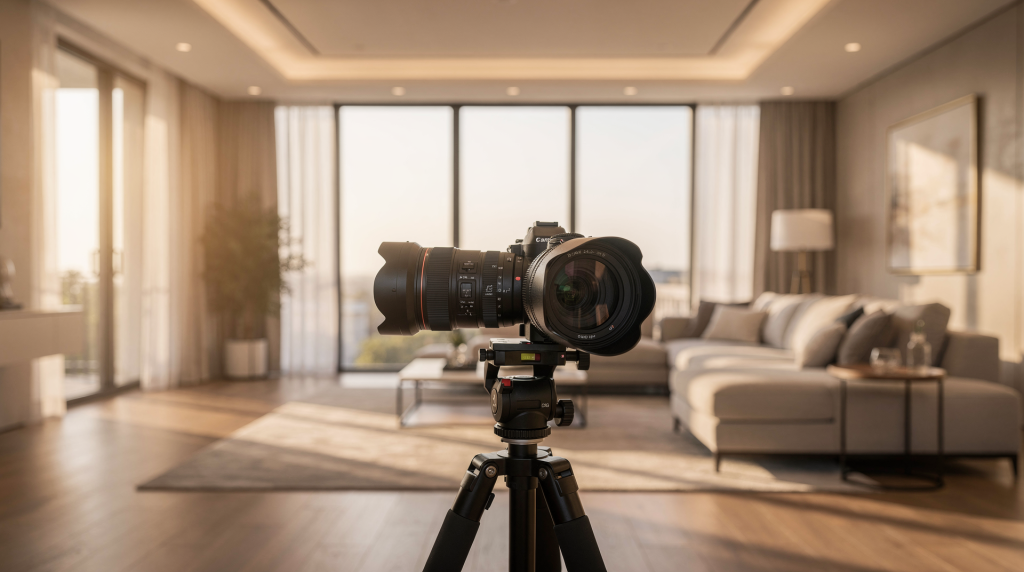
Great real estate video starts with one simple truth: the camera settings should support the space, not fight it. The goal is clean motion, consistent color, and enough flexibility to handle bright windows, dark corners, and tight interior moves without making the footage feel amateurish.
When I walk into a property—whether it’s a sun-drenched mid-century living room or a moody, wood-paneled study—the first thing I do is assess the light. Where it falls, where it fades, and where it creates contrast that could either elevate or ruin a shot. Those first few minutes of observation determine every dial, menu choice, and shutter angle I’ll set before I press record. This isn’t about memorizing a cheat sheet. It’s about understanding what the camera needs to see so the space can show itself honestly on screen.
Why camera settings matter in real estate video
Real estate and architectural video live in a strange middle ground. They need to feel polished and cinematic, but they also need to show a room honestly. That means your settings must balance three things:
– Natural motion that feels smooth and intentional
– Sharp enough detail to show layout, finishes, and texture
– Color and exposure that stay consistent from room to room
The wrong settings can make a beautiful property look cheap. Too much motion blur, noisy shadows, shifting white balance, or overprocessed color will distract from the space. I’ve walked into places where every surface was meticulously staged, only to see footage ruined by choppy panning because the shutter speed was cranked to 1/500 just to tame the sunlight. The architecture deserved better—and so did the agent trying to sell it.
Settings are the technical foundation, but they also communicate intention. When you walk a viewer through a home, every frame should feel like a deliberate invitation. Inconsistent color makes the eye stumble. Too-shallow depth of field removes the viewer’s ability to understand how rooms connect. And exposure that bounces up and down across a pan feels like watching someone still learning to drive a manual transmission. None of that belongs in professional work.
The best starting settings for cinematic real estate video
For most interior walkthroughs, a strong baseline is the one that gets out of the way and lets the architecture speak. Over time, I’ve landed on a starting point that works reliably across a wide range of homes and lighting conditions.
| Setting | Recommended starting point | Why it works |
|---|---|---|
| Resolution | 4K | Gives you room to crop, stabilize, and deliver sharp detail |
| Frame rate | 24 fps or 30 fps | 24 fps feels more cinematic; 30 fps feels a bit smoother |
| Shutter speed | About double the frame rate | Keeps motion blur natural |
| Aperture | f/4 to f/8 | Keeps the room readable from front to back |
| ISO | As low as possible | Reduces noise in shadows and wall textures |
| White balance | Manual, not auto | Keeps colors consistent across rooms |
| Picture profile | Neutral or log, depending on workflow | Helps preserve highlight and shadow detail |
These settings are not a magic formula. They are a reliable starting point that you adjust based on light, lens, and how the space is being filmed. I think of them as the bones of the image—strong enough to build on, but flexible enough to adapt when a room demands something different, like a wider aperture in a dark-paneled library or an ND filter when an entire wall of glass floods the space with afternoon light.
Frame rate: 24 fps, 30 fps, or 60 fps?
Frame rate shapes the feel of the whole video. It’s not just a technical checkbox—it’s a decision about rhythm and emotional tone.
24 fps
This is the most cinematic option. It creates a slightly softer, more film-like motion cadence, which works well for luxury listings, branded content, and story-driven property videos. When I’m shooting a historic estate where every room carries a sense of stillness and weight, 24 fps lets the camera glide with a gravity that faster frame rates can’t match.
Use 24 fps when:
– You want a more premium, cinematic look
– The movement in the edit will be slower and more deliberate
– You want the final video to feel closer to short-form film than a standard walkthrough
30 fps
This is a practical middle ground. It looks a little smoother than 24 fps and can feel more natural for general property marketing. For a quick, clean agent tour—where the goal is clarity and a brisk tempo—30 fps often feels right. It’s also the standard for a lot of agency delivery specs, so it can save time on export.
Use 30 fps when:
– The client wants a clean, modern look
– You expect to deliver in a standard online environment
– The motion in the house is slightly faster, such as guided walkthroughs
60 fps
This is best for slow motion, not as the default for the entire video. Shooting at 60 fps gives you smoother movement and the option to slow clips down in the edit. On a recent waterfront property, I shot all the detailed exterior work at 60 fps—the curtains breathing near an open window, the surface of the pool catching wind, the slow drift of eucalyptus branches against the façade. That footage, played back at 24 fps in post, became the emotional anchor of the edit.
Use 60 fps when:
– You want elegant slow-motion reveals
– You are filming exterior movement, curtains, water, or trees
– You want extra flexibility for stabilization or retiming
A practical approach is to shoot the core walkthrough in 24 or 30 fps and capture select beauty shots at 60 fps. Over time, you learn to recognize which moments will benefit from the extra frames before you even raise the camera.
Shutter speed: follow the 180-degree rule
A simple rule makes motion look natural: set shutter speed to roughly double your frame rate.
Examples:
– 24 fps → 1/50 or 1/48
– 30 fps → 1/60
– 60 fps → 1/120
This is often called the 180-degree shutter rule. It gives enough motion blur to keep movement smooth without making the image look smeared or unnatural.
Why this matters in real estate
Real estate video usually involves:
– Gimbal movement
– Slow pans
– Walkthroughs through doorways and hallways
– Exterior reveals
If shutter speed is too high, motion becomes choppy and harsh—every step through a doorway feels staccato, every pan jitters across the frame. If it is too slow, the image turns muddy and unfocused during movement. You lose the architectural lines and the crispness that defines a room’s character.
Common mistake
Many beginners raise shutter speed to “fix” brightness. That may help exposure, but it creates a jittery, amateur look. I’ve seen it happen on bright days when someone didn’t bring an ND filter and decided to close the shutter instead. The room looked sharp when static, but the moment the camera moved along a kitchen island or through a living area, the footage became harsh and distracting. If the room is too bright, use ND filters or adjust lighting instead of breaking the shutter rule. A variable ND is a small investment that protects the entire aesthetic.
Aperture: keep the space readable
For real estate work, aperture is less about shallow depth of field and more about keeping the entire room usable in focus. Buyers and renters need to see how the layout flows—where the kitchen sits relative to the dining area, how a hallway opens into a bedroom. That’s context, and context requires clarity.
Good ranges:
– f/4 to f/5.6 for many interiors
– f/5.6 to f/8 when you want more depth and edge-to-edge clarity
A very wide aperture like f/1.8 can look attractive in portrait work, but it usually hurts real estate video. Rooms need context. Viewers should be able to understand the layout, not just admire a blurred sofa. I once saw a walkthrough where every shot was opened up to f/1.4 because the shooter wanted a “filmic” look. The result felt claustrophobic and disorienting—you couldn’t tell where one room ended and another began.
When to open up wider
You may need a wider aperture in darker homes or at night, but be careful. If the depth of field becomes too shallow, the space starts to feel less honest and less useful as a sales tool. When I’m forced to shoot at f/2.8, I tend to compose wider and pull back physically, using distance to deepen the focal plane. It’s a small trick, but it helps preserve a sense of space even when glass is wide open.
ISO: keep it low, but don’t underexpose
ISO should usually stay as low as practical. Lower ISO means cleaner walls, cleaner shadows, and less grain in darker areas—exactly what you need when showcasing pristine interiors and fine textures.
Practical range
– Bright interiors: ISO 100–400
– Mixed light or darker interiors: raise only as needed
– Very dark spaces: it is often better to add light or accept some grain than to crush the image
What matters most
Do not underexpose just to protect the ISO number. Underexposed footage that must be brightened in post often looks worse than footage shot at a slightly higher ISO. I made this mistake early in my career—shooting a moody evening interior at ISO 100 that was two stops dark, thinking I’d rescue it in the edit. The noise I introduced in post was far more aggressive and ugly than anything the camera would have produced at ISO 800. The midtones broke down, the walls took on a digital smear, and the nuance was gone.
A cleaner rule:
– Expose correctly first
– Then keep ISO as low as the room allows
White balance: set it manually every time
Auto white balance is one of the fastest ways to make a property video look inconsistent.
If the camera keeps shifting from cool to warm as you move through the house, walls and cabinetry will look different from shot to shot. That breaks visual continuity. I’ve watched footage where a kitchen island was crisp white in one clip and a slightly sick yellow in the next, simply because the camera re-evaluated the light halfway through the take. The viewer won’t consciously notice—but they’ll feel that something is off.
Good starting points
– Daylight interiors: around 5200K to 5600K
– Warm tungsten interiors: around 3200K
– Mixed lighting: choose the dominant source and correct carefully in post
Why manual white balance matters
A consistent white balance helps:
– White walls stay white
– Wood tones stay believable
– The edit feels cohesive
– You avoid strange color changes between rooms
If the home mixes daylight and warm practicals, decide what should look natural and build around that choice. There is no perfect setting for every room, but there should be a deliberate one. I often walk the house first with a small gray card or a white wall test, locking in a value that honors the daylight zones and then tweaking in post if a tungsten scene needs a slight nudge. The key is starting from a stable anchor.
Picture profiles: neutral, log, or standard?
Picture profile choice depends on how much grading you plan to do. It’s a decision about time and control—more latitude means more work in post, but also more ability to shape the image.
Standard profile
Use this if:
– You need fast turnaround
– You do minimal color correction
– The lighting is already balanced
It is the simplest option, but it can clip highlights faster and leave less room in post. For quick agent tours where the footage goes from card to timeline with barely a touch, standard profiles can work. But the moment you face a room with bright windows and darker corners, you’ll wish for more dynamic range.
Neutral profile
This is a strong practical choice for many real estate projects. It gives you a flatter image without making the footage too soft or difficult to manage.
Use it when:
– You want some flexibility in post
– You are working quickly
– You want a balanced, easy-to-grade image
Log profile
Log is best when:
– You need maximum dynamic range
– The home has bright windows and darker interiors
– You are comfortable color grading
Log footage gives you more latitude, but it also demands better exposure discipline. If you do not expose log properly, footage can look washed out or noisy. I typically expose log about one stop over what the camera’s meter suggests for midtones, pushing the histogram right just enough to keep the shadows clean without clipping the windows beyond recovery. It’s a balancing act you learn through doing, and it rewards careful monitoring with tools like false color or zebras.
4K vs 1080p for real estate video
For modern real estate production, 4K is the smarter default. The extra resolution isn’t just about sharpness—it’s about post-production flexibility and how textures feel on screen.
Why 4K is useful
– Lets you crop and reframe in post
– Gives extra room for stabilization
– Looks sharper on modern displays
– Helps preserve detail in architectural textures and finishes
When I deliver 4K footage, the grain of a wood floor, the veining in marble, the fine lines of cabinetry—all of it resolves with a fidelity that makes the space feel tangible. On a recent shoot, a tight hallway didn’t allow the gimbal to step back far enough, so I shot slightly wider in 4K and reframed later. The final image still looked crisp, and the client never knew the original composition was compromised.
When 1080p is enough
– Fast social delivery
– Lightweight workflows
– Projects where final distribution is strictly compressed
If you are building a cinematic real estate reel or portfolio piece, 4K is usually the better call. That said, I still shoot HD for some ultra-fast turnaround work, especially short Instagram-first content that will be viewed on small screens. The key is matching the resolution to the final destination, not just defaulting to the highest number.
Recommended settings by shooting scenario
| Scenario | Suggested settings |
|---|---|
| Bright daytime interior | 24 fps, 1/50, f/5.6, ISO 100–400, manual WB |
| Standard walkthrough | 24 or 30 fps, shutter double frame rate, f/4–f/8, low ISO |
| Slow-motion reveal | 60 fps, 1/120, moderate aperture, low ISO |
| Dark interior | 24 fps, 1/50, wider aperture if needed, controlled ISO, added light if possible |
| Exterior beauty shot | 24 or 60 fps depending on motion, low ISO, ND filter if bright |
These are not rigid rules but starting points born from experience. In the field, I adjust constantly—dialing aperture a third of a stop when I turn toward a wall of windows, or dropping ISO a notch when moving from a dark corridor into a sunroom. The settings should be fluid in response to the space, but always intentional.
Step-by-step setup for a cinematic real estate shoot
- Choose your delivery style first. Decide if this is a slow, aspirational piece or a brisk walkthrough. The answer shapes every setting that follows.
- Set frame rate based on the final feel you want. Lock it early—changing frame rate midway creates a logistical headache in post.
- Lock shutter speed to roughly double frame rate. If I’m outdoors on a bright day, I slide in an ND filter immediately so I never feel tempted to break this rule.
- Set aperture for enough depth of field to show the room clearly. I walk the camera path in advance, checking how far away key architectural details sit from the lens.
- Dial ISO as low as possible without underexposing. I watch the shadow areas on the monitor, especially under furniture and in corners.
- Set white balance manually. I often white-balance in the main living area first, since it tends to set the visual tone for the film.
- Pick a picture profile that matches your grading workflow. If it’s a fast turn, neutral. If I have time and the room has tricky light, log.
- Check histogram and zebras before rolling. I set zebras for about 95% to catch window blowouts early.
- Shoot a short test clip and review motion, color, and highlights. Ten seconds now saves re-shooting a whole sequence later.
- Keep settings consistent across the property unless lighting changes dramatically. Consistency in camera behavior makes the edit feel cohesive, even across different room types.
Checklist before you start recording
– Frame rate chosen intentionally
– Shutter speed matches the 180-degree rule
– White balance is manual
– ISO is not needlessly high
– Aperture keeps the room readable
– Highlights are not clipping in windows
– Shadows still contain detail
– Picture profile matches the post workflow
– ND filter is ready if the scene is too bright
This checklist lives in my head now, but early on, I kept it taped to my monitor rig. When you’re juggling lighting, composition, and client questions, the fundamentals should be automatic.
Common mistakes to avoid
Using auto settings
Auto ISO, auto white balance, and auto exposure can all shift during a shot. That creates a distracting, inconsistent look. I once reviewed footage from a shooter who left auto-exposure on during a hallway pan. As the camera moved past a bright window, the image dimmed in real time like a pupil contracting. The take was unusable.
Shooting too wide open
A blurred room feels less informative and less premium in real estate work. Viewers want to see how spaces relate, and shallow depth of field removes that context. Save the bokeh for a detail shot of a door handle or a faucet, not the entire living room.
Ignoring window highlights
Windows can blow out quickly. Once detail is gone, it is hard to recover. I always expose for the windows first in high-contrast rooms, then bring up the interior with lighting or in post. If the view is a selling point—and it often is—it must remain visible.
Choosing 60 fps for everything
Higher frame rates can be useful, but they are not always the best default. They can also demand more light and more storage. An entire walkthrough shot at 60 fps played back in real time looks flat and videolike, stripping away the texture that makes architecture feel cinematic.
Raising shutter speed to fix exposure
This is one of the most common ways to make interior walkthroughs look choppy. I keep a small collection of ND filters in my bag and treat them as essential as a lens. They are the proper tool for brightness control, not the shutter dial.
Quick settings presets
Cinematic luxury walkthrough
- 4K
- 24 fps
- 1/50 shutter
- f/5.6
- ISO 100–400
- Manual white balance
- Neutral or log profile
Smooth marketing walkthrough
- 4K
- 30 fps
- 1/60 shutter
- f/4 to f/5.6
- ISO as low as possible
- Manual white balance
- Neutral profile
Slow-motion b-roll package
- 4K
- 60 fps
- 1/120 shutter
- f/4 to f/8
- Low ISO
- Manual white balance
- Log or neutral profile
These presets are what I dial in before I’ve even unpacked lights. They give me a safe launch point, and then everything else becomes about reading the space and making the subtle adjustments that elevate the footage.
FAQ
What is the best frame rate for real estate video?
For most cinematic work, 24 fps is the best starting point. Use 30 fps if you want slightly smoother motion, and 60 fps when you need slow motion. The choice should always serve the story of the space.
What shutter speed should I use for real estate video?
Use a shutter speed about double your frame rate. That usually means 1/50 for 24 fps, 1/60 for 30 fps, and 1/120 for 60 fps. This keeps motion blur natural and organic, exactly what architectural movement demands.
Should I shoot real estate video in 4K?
Yes, if your camera and workflow support it. 4K gives you sharper detail and more flexibility in editing, and it helps preserve the fine textures that make a property feel premium.
Is log profile necessary?
No, but it helps if you want more control in grading and better highlight recovery. For faster jobs, a neutral profile is often easier and delivers reliable results without the extra grading time.
What aperture is best for interiors?
A range around f/4 to f/8 usually works best because it keeps most of the room in focus. This ensures that viewers can clearly understand the layout and appreciate the finishes, from the foreground furniture to the far wall.
Conclusion
The best camera settings for cinematic real estate video are the ones that make the space feel clear, polished, and believable. Start with 4K, 24 or 30 fps, shutter speed at roughly double the frame rate, a modest aperture, low ISO, and manual white balance. From there, adjust for the room, not the other way around.
If you keep motion natural, color consistent, and focus deep enough to show the architecture, the footage will immediately feel more professional. The camera becomes transparent—a window into the space rather than a device that imposes its own limitations. And that’s the ultimate goal: letting the building speak, framed by choices so deliberate they feel invisible.